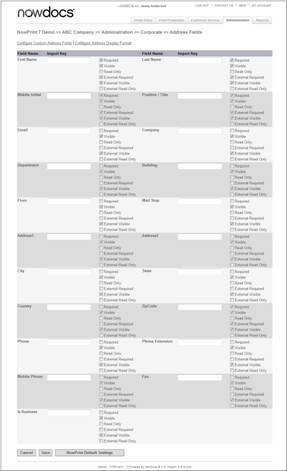
Configure settings for the display of the address fields used to enter contact information, for a specific Corporate Account. These changes will override the master level settings.
Use the following steps to edit the Corporate Account address fields:
Click the Admin link from the NowPrint homepage.
Click the Edit link under the Address Field Settings option.
Use the Import Key field to add custom data for 3rd party plug-ins, external systems, etc.
Select or clear the checkboxes as appropriate to indicate whether you would like the address fields to be Required, Visible, and/or Read Only for internal and external users.
Click the Save button to save your settings.
If you would like to erase your settings and revert to the default system settings, click the NowPrint Default Settings button.