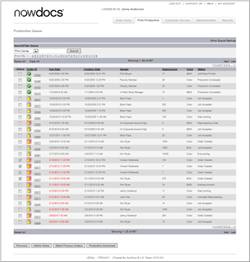
You can process multiple orders together in a batch. Two batch processing options are available:
Orders can be sent to an output device in a batch.
Status can be changed for a batch of orders.
Use the following steps to Batch Process Orders:
Click on the Print Production link to access the Production Queue.
Click the checkbox in the Select column next to each Order ID you would like to process.
Click the Batch Process Orders button.
The system opens the Batch Process Orders screen.
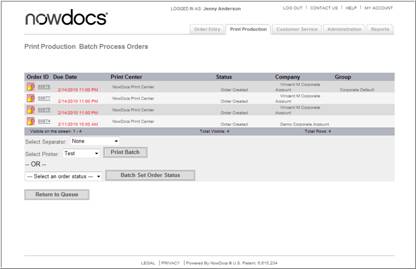
If you would like to send the orders to an output device in a batch, follow these steps:
If desired, use the Select Separator drop-down menu to insert slipsheets.
Select the output device to which you would like to send these orders from the Select Printer drop-down menu.
Click the Print Batch button.
If you would like to change the status for the batch of orders, follow these steps:
Select the desired order status from the Select an order status drop-down menu. See page 7-6 for more information on order status options.
Click the Batch Set Order Status button.